
VMS Timesheet Management: How to Collect, Manage, and Consolidate Timesheets From Multiple VMS Portals

Joseph Mathew
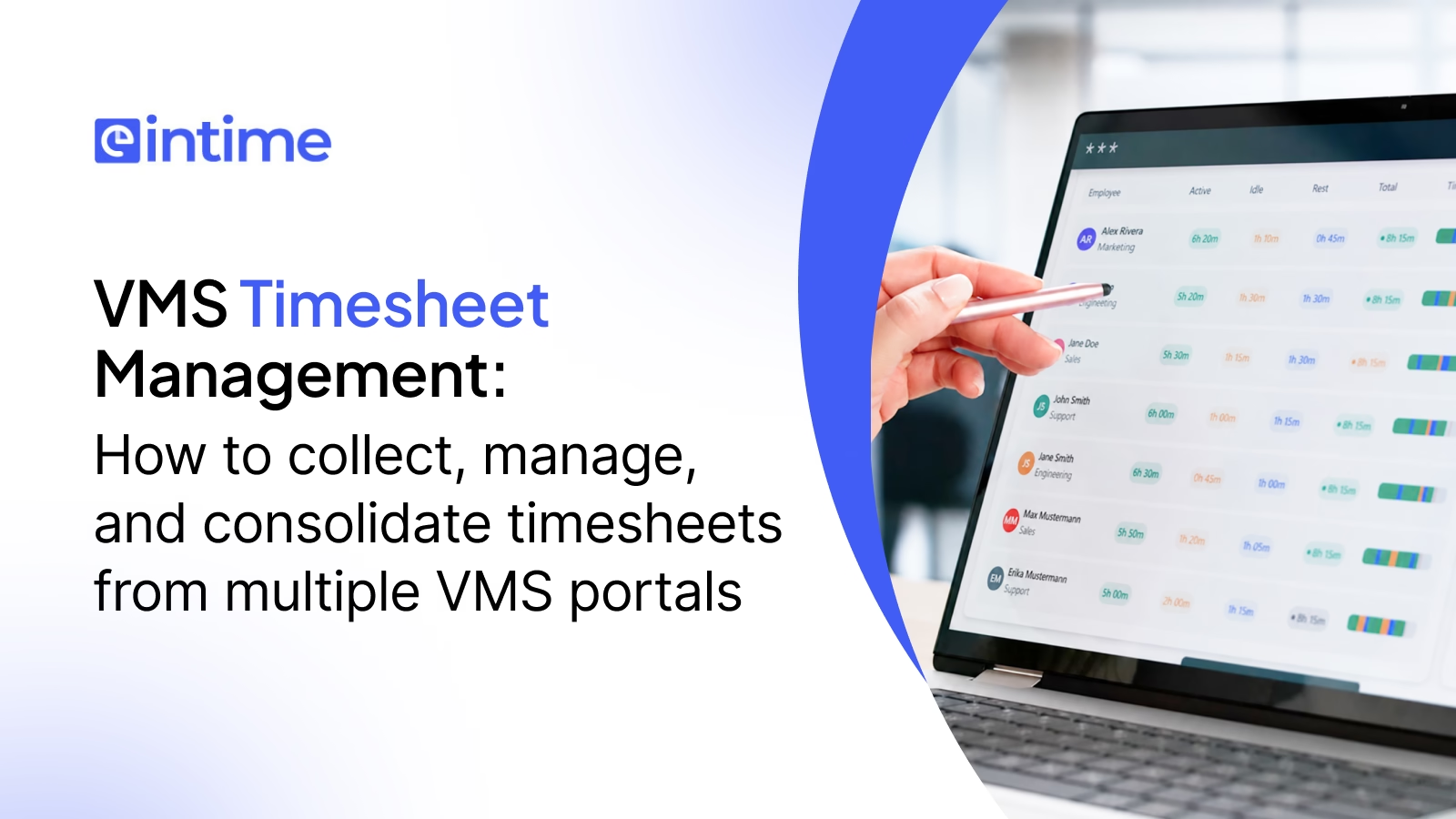
A practical guide for staffing payroll, finance, and operations teams
A staffing firm working with five enterprise clients is rarely managing one timesheet process. It is managing five processes across five vendor management system (VMS) platforms, each with its own login, export format, approval cadence, field labels, and client rules. For the coordinator responsible for turning that patchwork into a reliable pay run, the client system itself is not the problem. The risk sits in the gaps between portals, where hours can be lost, duplicated, mapped to the wrong worker, or approved after the pay cutoff, particularly affecting staffing agencies. A single consolidation solution gives the business a more consistent control point across those separate workflows.
This guide explains what multi-portal timesheet management involves, how staffing companies collect records from multiple clients, where the workflow commonly breaks down, and how a controlled manual or automated process can produce clean, approved, payroll-ready and billing-ready data. It also answers the practical question of how to consolidate timesheets from multiple clients without relying on disconnected spreadsheet routines.
What Is a VMS, and Why Does It Complicate Timesheet Management?
A vendor management system centralizes contingent workforce activity for a client, but it can complicate timesheet management for staffing firms because every client may use a different platform, configuration, approval process, and export format. Staffing teams must translate these separate records into consistent data for payroll and billing.
What does VMS mean in staffing?
A vendor management system is software used by a client organization to manage its contingent workforce program. It may cover requisitions, supplier activity, onboarding, time capture, approvals, expenses, and invoicing related to the contingent workforce management. Platforms such as SAP Fieldglass, Beeline, VectorVMS, Bridge VMS, and Simplify VMS give the client one control layer across its staffing suppliers and contingent workers. In many organizations, this technology also becomes the operating record for contingent labor supplied by external firms.
VMS timesheet vs traditional timesheet
A traditional timesheet is usually created and controlled by the employer through one timekeeping system. The portal-based record is submitted inside the client’s platform and follows that client’s configuration. Its VMS timesheet format may differ by client, workweek, assignment, and time category in VMS. The staffing supplier must retrieve the approved record and translate it into the data structure required by its HRMS, payroll, and billing systems. That difference in ownership makes access, timing, and standardization central operational concerns.
The client system and MSP relationship
A managed service provider (MSP) may administer the client’s contingent workforce program and enforce its policies through the client system. In the MSP VMS timesheet process, the worker or manager submits hours to track time, the client or MSP controls approval, and the staffing company remains responsible for using the result correctly. Understanding VMS vs MSP timesheet responsibility prevents teams from assuming that portal approval automatically resolves payroll and billing checks. As the client’s program partner, the MSP may also coordinate supplier communication and exception handling.
How does a VMS timesheet move from worker to staffing company?
The worker records time, a designated manager reviews it, and the approved record becomes available to the staffing supplier. The supplier then downloads the file or receives data through an integration, maps the record to the correct employee and assignment, validates the hours and rates, and routes the result to payroll and billing. This sequence provides a practical view of how to track time and manage assignments effectively. how staffing companies manage VMS timesheets, and every handoff should remain traceable.
How Does VMS Timesheet Management Work in Staffing Firms?
VMS timesheet management in a staffing firm covers the complete movement of time data from worker submission and client approval through collection, validation, payroll, and billing. The staffing company must keep each record linked to the correct worker, assignment, client, rate, approval status, and source portal throughout the process.
Timesheet submission
Workers enter regular, overtime, double-time, break, shift, or expense information according to the client’s required format and deadline in VMS. Clear instructions matter because even a valid number of hours can be rejected when it uses the wrong task code, workweek, or assignment.
Client/manager approval
A client manager confirms that the time was worked and assigns an approval status. A reliable VMS timesheet approval workflow distinguishes submitted, approved, rejected, and pending records; these statuses affect what can be invoiced even when payroll must proceed under applicable wage rules.
Staffing company collection
The staffing team collects approved and pending records from every portal on a defined schedule. Collection may involve downloads, secure email files, APIs, or automated extraction through VMS. A control log should show which portals were checked, which pay period was collected, and whether any source failed.
Timesheet validation
Collected records are checked against worker, client, assignment, calendar, rate, and approval data. This is the operational foundation of . VMS timesheet management for staffing companies: exceptions should surface before records enter downstream systems, while the original portal record remains available for audit purposes.
Pay processing
Validated hours are converted into the payroll import structure. Payroll teams review exceptions, provisions, corrections, and off-cycle items before authorizing payment. They should never rely on a combined spreadsheet that cannot be traced back to the source.
Client billing
Billing uses approved hours, contractual bill rates, markups, shift differentials, and invoice rules. The same hours may travel through payroll and billing on different timelines, so the consolidated dataset must preserve approval and billability status rather than flattening both processes into one field.
C2C/1099 payment processing
C2C and 1099 assignments may require payment and billing logic that differs from W-2 payroll. An unmatched employee VMS payroll record may still represent a valid contractor rather than an error. The process should route the record correctly instead of deleting or forcing it into an employee file.
Popular VMS Platforms for Staffing Timesheet Operations
Platforms like SAP Fieldglass, Beeline, VectorVMS, Bridge VMS etc are highly popular across and others are widely used across the staffing industry to manage contingent workforce operations, including assignment management, timesheet submission, approvals, compliance, invoicing, and reporting.
SAP Fieldglass
SAP Fieldglass supports large contingent workforce programs with configurable time sheets, approvals, and integrations. Staffing teams should document the client’s chosen export, field configuration, workweek, and approval sequence before using a Fieldglass timesheet export in payroll.
Beeline
Beeline programs can vary by client implementation. A Beeline VMS timesheet download for time tracking. should therefore be mapped by client and assignment rather than treated as one universal format. Teams should confirm identifiers, status fields, and any separate expense records.
VectorVMS
VectorVMS is another source encountered by staffing suppliers. The VectorVMS timesheet download may contain client-specific fields or labels, so the operations team should retain a current mapping and test changes before the next pay cycle. The VectorVMS login and report permissions should be tested before each critical collection window.
Bridge VMS
Bridge VMS can be part of a supplier’s wider portal mix. Access ownership, report availability, file structure, and client approval timing should be recorded in the same source register used for all other portals. A flexible solution should accommodate these client-specific differences while maintaining one internal control framework, especially for staffing agencies.
Simplify VMS
Simplify VMS may also support time capture and approval within contingent workforce programs. As with every platform, the client’s configuration, not just the product name, determines the operating steps. Portal instructions should be verified against the live client environment.
Portal | Collection method for time entry data. | Common differences to map |
SAP Fieldglass | Configured export or integration for real-time time tracking. | Worker IDs, time types, approval status |
Beeline | Configured report or integration | Client fields, expense records, status labels |
VectorVMS | Portal report or integration for time entry. | Assignment IDs, dates, workweek structure |
Bridge VMS | Client-configured download | Access, file layout, approval cadence |
Simplify VMS | Client-configured download | Time categories, identifiers, cutoffs for effective time tracking. |
These are operating considerations rather than universal platform specifications. platform configurations, exports, and API availability can change, so every staffing firm should validate its process with the client or MSP.
Where Multi-Portal Timesheet Management Breaks Down
Managing timesheets across multiple VMS platforms introduces complexity at every stage of the process, from accessing client portals and collecting exports to reconciling data and handling late approvals. As the number of clients and workers grows, these manual dependencies can create delays, errors, and single points of failure that make the timesheet lifecycle harder to control.
Multiple client portals and logins
Every new client can add another VMS timesheet login, credential owner, authentication method, approval calendar, and recovery procedure. If this knowledge sits with one coordinator, absence or credential failure can halt collection for staffing agencies.
Manual downloads and uploads
Repeated portal access, date filtering, exports, file naming, and uploads consume time without improving the data in VMS. Manual work also creates gaps when the wrong period is selected or a failed download is mistaken for an empty report.
Inconsistent formats and field names
One export may use employee number while another uses worker ID, complicating how we track time across different systems. Dates, regular time, overtime, double-time, shift differentials, and approval states may all be represented differently. Without a consolidation layer, coordinators repeatedly rebuild transformations in spreadsheets, complicating the process to track time.
Different deadlines and approval workflows
One client may close approvals on Friday while another completes them Monday. A fixed payroll calendar therefore requires planned collection windows, escalation rules, and provisions for late records.
Mismatched worker IDs across systems
A worker may appear under different names or IDs across a VMS, HRMS, and pay system. Strong matching uses a maintained crosswalk of employee, assignment, client, and source identifiers rather than relying only on names.
Late or rejected timesheets
Late and rejected records need owners and due dates. Leaving them inside an email thread creates invisible risk; tracking them as exceptions keeps payroll, billing, and client follow-up aligned for real-time updates.
How to Collect or Download Timesheets From Multiple VMS Portals
To collect timesheets from multiple client portals, staffing firms need a controlled routine for identifying every source, accessing each portal, downloading the correct reporting period, verifying each file, and standardizing the data. Automation can support this routine, provided failures, credential issues, and missing records remain visible.
Step 1: Identify every timesheet source
Create a complete inventory of client portals, direct timekeeping tools, emailed files, and manual records. This is the starting point for anyone asking how to download timesheets from VMS portals without missing a client or worker group.
Step 2: Map each client to its VMS
For every client, record the platform, portal URL, credential owner, authentication method, pay period, approval cutoff, report name, file type, responsible coordinator, and escalation contact.
Step 3: Control access and download frequency
Use role-based access, secure credential handling, backup owners, and a documented frequency. The collection log should prove that each portal was accessed for the correct period and should record empty reports or errors explicitly.
Step 4: Verify each downloaded file
Check the client, pay period, row count, approval status, and file completeness before transformation to ensure ease of use. Preserve the raw export with a controlled filename so the source can be reproduced during an audit or dispute.
Step 5: Standardize the downloaded files
Map each source into one internal schema. Useful VMS timesheet examples should show how different source fields become common fields such as worker ID, assignment ID, client, work date, regular hours, overtime hours, approval status, pay rate, and bill rate.
Automated download: scheduled crawling and credential management
Automated collection can apply date and status filters, store credentials securely, schedule retrieval, and record completion. Firms that automate VMS timesheet collection can reduce repetitive portal work while preserving visibility into which source supplied each record. Data privacy controls should govern credential storage, access logs, retention, and the transfer of downloaded records.
Automated download: handling failures and credential errors
Automation must treat failure as an exception, not as zero hours. Expired credentials, multifactor prompts, changed report layouts, and unavailable portals should trigger alerts, assign an owner, and allow controlled retry or manual upload.
How to Consolidate High-Volume of VMS Timesheets in One Single File?
High volumes of VMS timesheets can be consolidated into one file by mapping every portal export to a uniform internal format, allowing teams to track time more efficiently. The process should standardize identifiers, dates, hours, rates, and approval statuses, while detecting duplicates and missing records before the final dataset is released for payroll and billing.
Build a uniform timesheet format
The answer to how to consolidate VMS timesheets begins with a canonical schema. Each record should carry source, worker, assignment, client, dates, time categories, rates, approval, billability, and audit fields.
Standardize employee, client, and assignment IDs
Maintain cross-reference tables that connect portal identifiers with internal records. Matching rules should prioritize stable IDs and route uncertain matches for human review.
Normalize dates, workweeks, and hours
Convert dates to a consistent format, assign the correct pay period, and separate regular, OT, and DT hours. Normalization prevents a date display or workweek difference from becoming a pay error.
Map pay and bill rates
Apply the rate associated with the correct assignment and time type, including overtime, double-time, and shift differentials. Rate overrides should require documentation and approval.
Identify duplicates
Detect duplicates using worker, assignment, work date, hours, source, and approval data. Corrections and reversals need special handling so a legitimate negative entry is not removed as a duplicate.
Detect missing timesheets and allow manual upload
Compare expected workers with collected records and create an exception list. If a client supplies a spreadsheet or image outside the portal, use a controlled manual upload that passes through the same validation and audit process.
VMS Timesheet Validation Checklist: What Should Be Checked Prior to Processing Payroll?
Purpose-built VMS timesheet software should validate data consistently and present exceptions for review. A controlled VMS timesheet reconciliation process compares the portal record with worker, assignment, rate, approval, and pay-period data. einTime can support automated validation across multiple data points for time tracking, but payroll ownership and final sign-off remain with the staffing firm’s authorized team.
Core Validation Checks
Check | Question before processing time entry for accuracy. |
Worker | Does the worker match an active employee or contractor record? |
Assignment | Is the worker mapped to the correct client and assignment in VMS to ensure we can track time accurately? |
Hours | Are hours complete and within expected ranges? |
Overtime | Are regular, OT, and DT categories correctly identified? |
Rate | Does the pay or bill rate match the assignment and time type? |
Approval | Is the record approved, pending, or rejected? |
Duplicate | Has the record or a previous version already been processed? |
Dates | Does the work date fall within the correct pay period? |
Billability | Can these hours be invoiced under the client agreement? |
Compliance | Are applicable wage, classification, and audit checks satisfied for contingent workforce management? |
Ultimately, VMS timesheet validation is about more than checking hours. It ensures that every time entry is tied to the right worker, assignment, rate, approval status, and pay period before it moves into payroll. By automating these checks and flagging exceptions early, staffing firms can reduce manual reconciliation, prevent downstream payroll and billing errors, and maintain a more reliable timesheet-to-payroll process.
The Downstream Cost of Poor Timesheet Consolidation
Poor timesheet consolidation does more than create administrative rework. Errors or delays in moving time data from VMS platforms into payroll and billing can affect worker pay, overtime accuracy, invoicing, cash flow, and client relationships. At staffing scale, even small inconsistencies can quickly become recurring operational and financial costs.
Payroll impact: missed hours and overtime exposure
An hour lost during consolidation is an hour a worker may not receive, impacting their time entry. If it changes the weekly overtime calculation, the error can create wage-and-hour exposure as well as worker dissatisfaction and corrective payroll work.
Billing impact: invoice disputes and client trust
Hours invoiced without the required approval can trigger disputes and delay cash collection. Missing billable hours create revenue leakage, while repeated invoice corrections weaken the client’s confidence in the supplier’s controls. Clear supporting records also make customer queries easier to investigate and close.
Why small errors compound at scale
Staffing operates across high transaction volumes and recurring weekly cycles. Even a small error rate, repeated across clients and workers, becomes material. Clean timesheet data therefore protects pay accuracy, revenue, margin, and relationships simultaneously, enhancing the ease of use for all stakeholders.
Building a Reliable VMS Timesheet Consolidation Process
Building a reliable VMS timesheet consolidation process means creating a consistent path from multiple client portals to one accurate, payroll-ready dataset. The goal is to standardize how time data is collected, mapped, reconciled, validated, and prepared for payroll, while maintaining traceability across every source.
Map every client VMS and its data structure
Before building the process, document every client system your clients use, along with its field names, export formats, approval deadlines, and client-specific requirements. These may include multiple approval tiers, mandatory comment fields, or unique job codes relevant to staffing agencies. This map becomes the reference point for the work that follows.
Standardize a single internal data schema
Define one internal format covering worker ID, client, assignment, date, hours, pay rate, and approval status. Every portal export should map into this format regardless of its source, turning several inconsistent files into one consistent dataset.
Establish a consistent pull and reconciliation cadence
Set a fixed schedule for collecting data from each portal. The schedule should respect every client’s approval window while leaving enough time before pay cutoff to identify and resolve discrepancies.
Reconcile worker identity across portals
Use consistent worker-matching logic anchored to a reliable internal worker ID to streamline the process of tracking time. This helps attribute hours from different client assignments to the correct person without duplicating or dropping records, making it easier to track time.
Flag exceptions before they reach payroll
Any record that is unapproved, incomplete, duplicated, or inconsistent with the worker’s expected schedule should be flagged and resolved before payroll calculations begin, rather than discovered after payment.
Consolidate into a single payroll-ready file
After every source has been standardized, reconciled, and validated, the approved data should merge into one payroll-ready file. The final output must preserve a clear audit trail back to each source portal.
What Good VMS Timesheet Management Looks Like in Practice
Managing timesheets across multiple VMS platforms becomes increasingly complex as staffing firms add clients, portals, formats, approval workflows, and billing rules. The solution is not simply to add more spreadsheets or manual checks, but to create a standardized process that brings every portal into one controlled workflow.
Treat every client system as a data source, not a parallel payroll process
Each VMS portal should feed into a centralized internal system of record. This allows staffing teams to apply rules and validations consistently while retaining source-level lineage for every time entry.
Validate before pay runs, not after
A missing approval or incorrect rate caught before payroll is an operational exception. The same issue discovered after payday can lead to corrections, compliance reviews, billing discrepancies, and worker communication. Automated validation and exception handling help resolve issues before they move downstream.
Design for complexity as you scale
Every additional portal introduces another format, access route, approval schedule, mapping requirement, and potential failure point. Cross-system worker and assignment matching adds another layer of complexity. A scalable process should therefore centralize mappings, standardize validation rules, and provide a consistent exception-management workflow rather than relying on portal-specific spreadsheets and tribal knowledge.
Preserve a complete audit trail
Every processed record should remain traceable to its source portal, raw export, collection time, validation history, and reviewer. This makes client queries and audits easier to resolve and reduces dependence on undocumented spreadsheet formulas or individual employees who understand how each portal works.
Reduce single-point-of-failure risk
When one person becomes the only expert on portal quirks, spreadsheet logic, or reconciliation steps, an absence, turnover, or deadline conflict can disrupt the entire timesheet cycle. Shared access ownership, documented mappings, repeatable controls, and centralized exception queues make the process more resilient and easier to manage as volumes grow.
How Automation Changes the Equation
Automation changes VMS timesheet consolidation from a repetitive, manually driven process into a controlled workflow where systems handle predictable tasks and teams focus on exceptions and decisions. The value is not simply fewer manual steps, but greater consistency, visibility, and scalability across collection, validation, reconciliation, and payroll preparation.
Manual vs Automated VMS Timesheet Consolidation
Understanding how to automate VMS timesheet management begins with separating repeatable system tasks from the exceptions that still require experienced review.
Dimension | Manual process | Automated process |
Collection | Repeated portal login and exports | Scheduled retrieval with status tracking |
Standardization | Spreadsheet transformations | Reusable source-to-schema mappings |
Validation | Row-by-row checking | Rules flag exceptions for review to track time accurately. |
Worker matching | Name and ID lookups | Maintained crosswalks and match logic |
Failures in the system can hinder the ability to track time effectively. | Often found during reconciliation | Alerts and assigned resolution are essential for staffing agencies to manage their operations effectively. |
Audit trail | Files and email threads | Source lineage and processing history |
Scalability is crucial for staffing agencies using VMS. | More portals require more effort | Volume grows with fewer repetitive steps |
Human role in approving timesheets and ensuring accurate time tracking. | Perform every task | Review exceptions and approve outcomes |
What automation realistically handles
Purpose-built software can retrieve reports, normalize formats, map known identities, run repeatable validation rules, detect duplicates or missing records, maintain audit trails, and prepare one output file. These are high-volume, rules-based tasks where consistency matters. This can streamline routine processing and make it easy for the operations team to identify and resolve exceptions.
What still requires human judgment
Teams must still decide how to resolve uncertain worker matches, unusual rate changes, rejected hours, retroactive corrections, compliance exceptions, and client-specific disputes. Automation should make those decisions visible, not hide them.
How einTime consolidates VMS timesheets automatically
einTime connects with the client system and MSP environments used by staffing clients, consolidates disparate timesheet data, applies configured validations, and prepares a payroll-ready dataset. The team moves from chasing files and checking every row to resolving genuine exceptions and approving the final output.
How VMS Timesheet Automation Helps Staffing Firms Scale
VMS timesheet automation helps staffing firms handle growing client and contractor volumes without adding the same level of manual effort to every payroll cycle. By automating data collection, standardization, reconciliation, and validation, firms can reduce repetitive work, surface exceptions earlier, and create a more consistent path from approved time entries to payroll and billing.
Reduce repetitive downloads
Scheduled collection gives coordinators time back while creating clearer evidence that every source was checked.
Standardize fragmented timecard data
Reusable mappings turn changing client exports into one controlled structure for downstream systems.
Move from manual checking to exception management
Rules identify records that need attention so experienced staff spend time on judgment rather than repetitive comparison.
Accelerate pay processing
Earlier collection, standardization, and validation shorten the time between approval and a payroll-ready file. Results will depend on portal access, volume, rules, and client configuration.
Improve billing accuracy and protect staffing margins
Shared source data helps payroll and billing remain aligned while preserving different approval rules. Capturing every approved billable hour reduces leakage and supports faster, cleaner invoicing.
Auto-Consolidate Every VMS Timesheet into One Validated File
einTime is designed for staffing firms that need to manage high volumes of timecards across multiple client portals. It automates collection, normalization, reconciliation, and validation while preserving exception review and audit visibility for staffing agencies. Instead of maintaining separate spreadsheet routines for every client, teams work from one consistent process and one validated output. Staffing leaders can use the resulting data to strengthen payroll accuracy, billing control, operational resilience, and financial decision-making. To evaluate the fit, map your present portal inventory and processing time, then compare that baseline with an einTime workflow demonstration.
Frequently Asked Questions About VMS Timesheet Management
It is a contingent worker time record submitted and approved through a client’s vendor management system. The staffing supplier uses it as upstream data for payroll, contractor payment, and client billing.
They download reports from client portals, receive configured data feeds, or use automated extraction. Files are then standardized, matched, validated, and consolidated for staffing agencies.
The client system is the technology platform. An MSP is a service provider that may operate the contingent workforce program and administer its policies through the client system.
Use the client-authorized login, select the correct reporting period and approval status, export the designated report, verify it, and preserve the raw file. Exact steps depend on the client configuration.
Yes. Authorized integrations or automated collection workflows can retrieve and track data from multiple portals, subject to access and client requirements.
Approved hours have passed the client’s review. Pending hours still require action and may not yet be billable, although payroll handling must follow applicable rules.
There is no universal number. It depends on the number of enterprise clients and their program choices; each client may introduce a different portal or configuration.
Define one internal schema, map every source to it, reconcile worker and assignment IDs, normalize dates and hours, validate records, and merge only controlled outputs.
It should enter an exception queue with a reason, owner, deadline, and follow-up action. The effect on payroll and billing should be assessed separately.
Validated hours and pay categories are mapped to the pay system, reviewed for exceptions, and used to prepare employee payments.
Approved, billable hours are combined with contract rates and invoice rules to calculate client charges and support invoice detail.
Time-tracking software records working time, often for one employer. A VMS manages a wider contingent workforce program across clients, suppliers, assignments, approvals, and commercial workflows.

Author
Joseph Mathew is an award-winning Payroll leader with 20+ years of experience, building and managing global payroll teams in staffing and tech industry. Joseph currently heads the Product team at einTime. He believes that automation could help transform the timesheet lifecycle in staffing and talent agencies. He advocates for adoption of technology as means to achieve operational excellence and build sustainable competitive advantage.
Aim For the Next Level of Operational Excellence
Let’s Connect! Book your consultation now.